

Brilliantly simple!
- 1.Remove unwanted objects
- 2.Cut people out perfectly
- 3.Create photo montages from your photos
TRY THE BEFORE-AFTER COMPARISON!
1. REMOVE
Remove unwanted objects like magic!
Try it for yourself: Download the software and remove an object. The software simply erases the selected parts and restores the background structure. Correct any blemishes with the Clone Stamp tool.
Original Photo
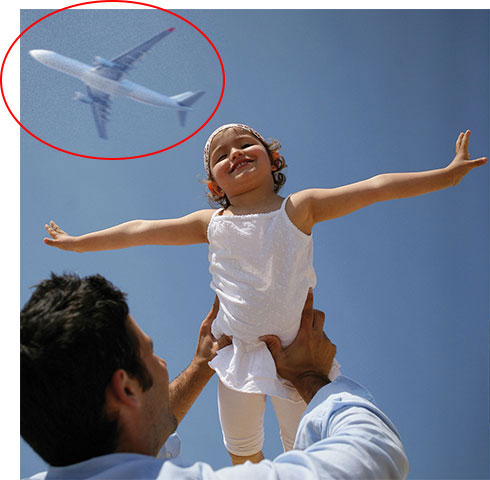
Photo editing with Inpixio Photo Clip

Remove unwanted people easily
Original Photo
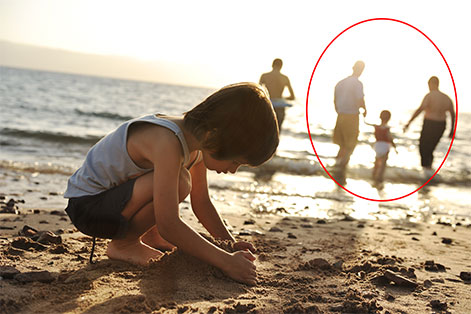
Photo editing with Inpixio Photo Clip

Remove traffic lights, signs or wires
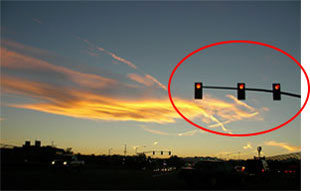
Traffic lights

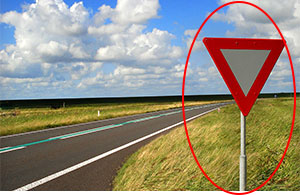
Signs and panels

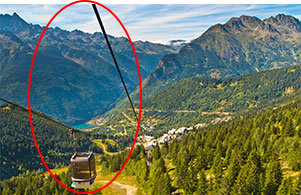
Wires and cables

Remove scaffolding or shadows

Scaffolding

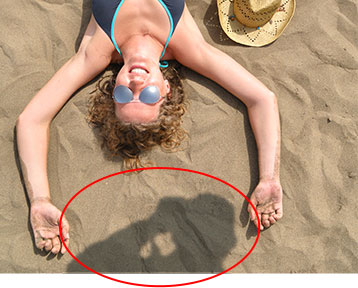
Shadows

Remove text, data, logos and watermarks

Text


Data


Logos and watermarks

2. CUT OUT
Cut out any objects from your photos


Even fine details such as hair can be removed with pixel-precision
Original Photo

Photo editing with Inpixio Photo Clip

Create unique portraits
In the following example, the bride is extracted from the original picture and inserted into a neutral background.
 Original Photo
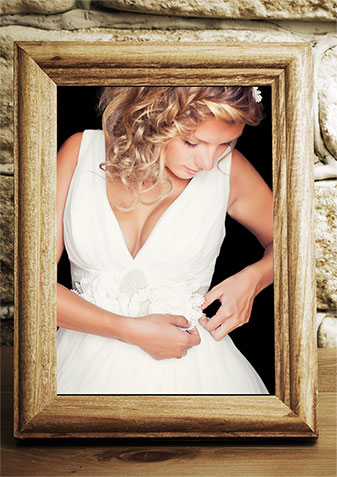 Photo editing with Inpixio Photo Clip
Blue screen technique as used by the professionals
Images against a single coloured background can be easily extracted with one click thanks to the automatic colour detection function.
 Original Photo
 Photo editing with Inpixio Photo Clip
3. PHOTO MONTAGES
Create unique photo montages from your own pictures
Easy! Photo Clip 6.0 allows you to set your main subject against a new background. In the following example, the picture of the family is extracted in three steps and placed in a new background - the result is a completely new picture!

 1
1
 2
2
 3
Original Photo
3
Original Photo
 4
Photo editing with Inpixio Photo Clip
4
Photo editing with Inpixio Photo Clip
Create unique photo montages from your own pictures