|
|
Powerful and easy to use photo editor |
|
|
 |
|
|
|
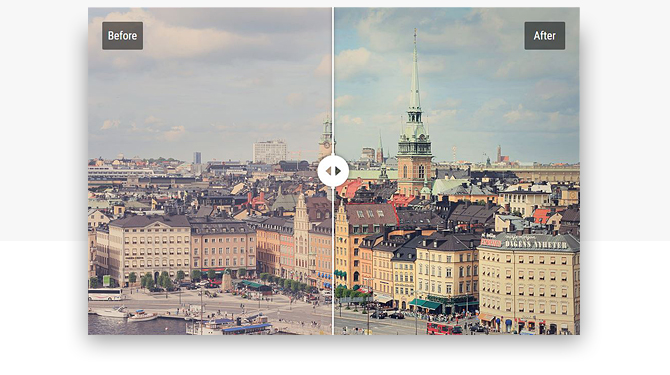
| Transform your images in a flash |
| This seemingly simple photo editing program has the latest image processing technology under the hood – for you, this means perfect pictures with a couple of mouse clicks! |
|
|
|
|
|
|
|
|
 |
|
|
|
| Save 40% – 30–Day Money Back Guarantee |
|
|
|
|
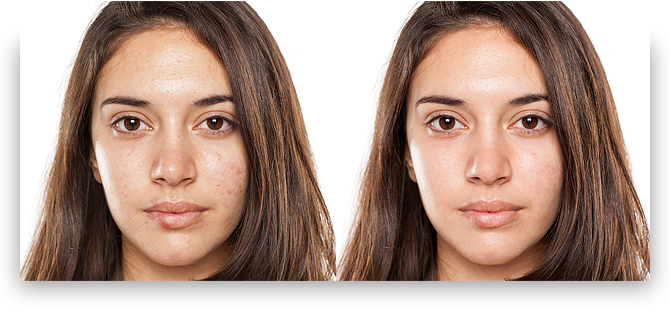
| Retouch portrait photos with pro–level tools |
| Need to touch up a portrait or make a shiny avatar? The intelligent photo retouching tools inside PhotoWorks will hide any imperfections and add a glam finish to your picture. |
|
|
|
|
|
|
|
|
 |
|
|
|
| Save 40% – 30–Day Money Back Guarantee |
|
|
|
|
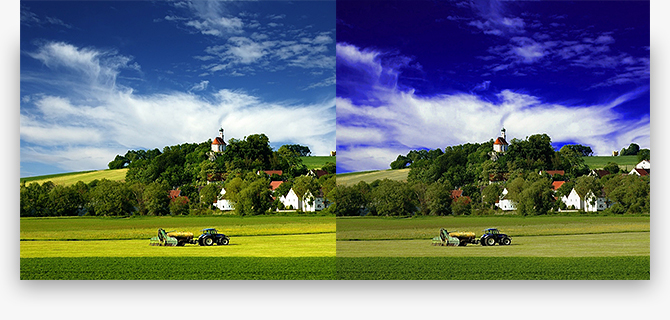
| Create striking landscapes in a few clicks |
| Some of your valuable vacation photos were taken in gloomy weather? You can't go back to that place, but you can add some sunshine with an easy image editor! |
|
|
|
|
|
|
|
|
 |
|
|
|
| Save 40% – 30–Day Money Back Guarantee |
|
|
|
|
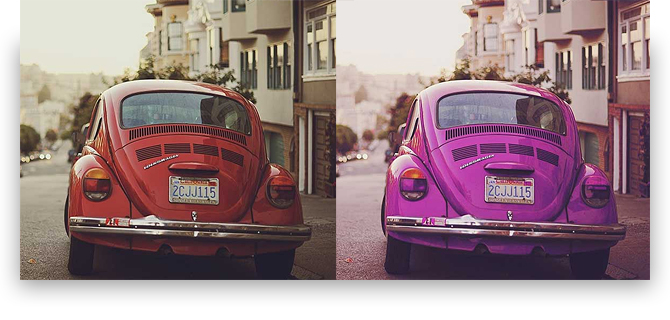
| Experiment with colors like a true artist |
| Have immense fun playing with hues and tones! One quick movement, and your red dress turns pink or orange; another one – and day becomes dusk. Play with the color hue, saturation and luminance to change the atmosphere of the shot. |
|
|
|
|
|
|
|
|
 |
|
|
|
| Save 40% – 30–Day Money Back Guarantee |
|
|
|
|
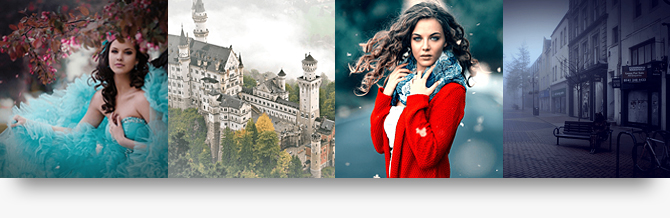
| Play with dozens of one–click effects |
| Looking for instant photo effects? We've got you covered! PhotoWorks comes with a huge variety of artistic filters – color toning, details enhancement, HDR, vignetting, retro, black & white photo, color splash, seasonal effects, and a lot more. |
|
|
|
|
|
|
|
|
 |
|
|
|
| Save 40% – 30–Day Money Back Guarantee |
|
|
|
|
| System Requirements |
|
| Operating System |
|
|
Windows 10, 8, 7, Vista, XP |
|
|
|
| cpu |
|
|
1 GHz or faster (Intel, AMD) |
|
|
|
| ram |
|
| Hard drive space |
|
|
|
|
|
|
|
|
| More cool features of PhotoWorks |
|
 |
|
|
|
| Add stylish captions, or
watermark images to protect your work. Rotate text or make it semi-transparent if necessary. |
|
|
 |
|
|
|
| Level out a wonky horizon, eliminate the "falling building" effect, correct lens distortions in a few clicks. |
|
|
 |
|
|
|
| Use an array of brushes to work with any object on the photo – for example, fix small blemishes or accentuate a detail. |
|
|
|
|
 |
|
|
|
| Improve the photo composition with crop presets – the Rule of Thirds, the Golden Ratio and other grids are there to help. |
|
|
 |
|
|
|
| Apply auto enhancement to fix the exposure and improve the color balance. Make your image awesome in one click! |
|
|
 |
|
|
|
| Discover professional secrets and master new image editing techniques with our series of online tutorials. |
|
|
|
|
|
|
|
|
|
|
|
|
Give your pictures a professional look! |
|
|
|
|
 |
| Transform your images in a flash. This seemingly simple photo editing program has the latest image processing technology under the hood – for you, this means perfect pictures with a couple of mouse clicks! |
|
|
 |
|
|
|
|
|
|
| Save 40% - 30-Day Money Back Guarantee |
|
|
|
|
|
s